 GSukaj Remote
The lighting desk in your pocket.
Fire, police and TV effects that look real on camera. 512 channels, faders, colour and your whole rig on a floor plan. Sent over sACN and Art-Net from your iPhone or iPad.
Everything the gaffer asks for, without carrying a desk.
Built by a film lighting tech, for the moments you need a light to do something right now.
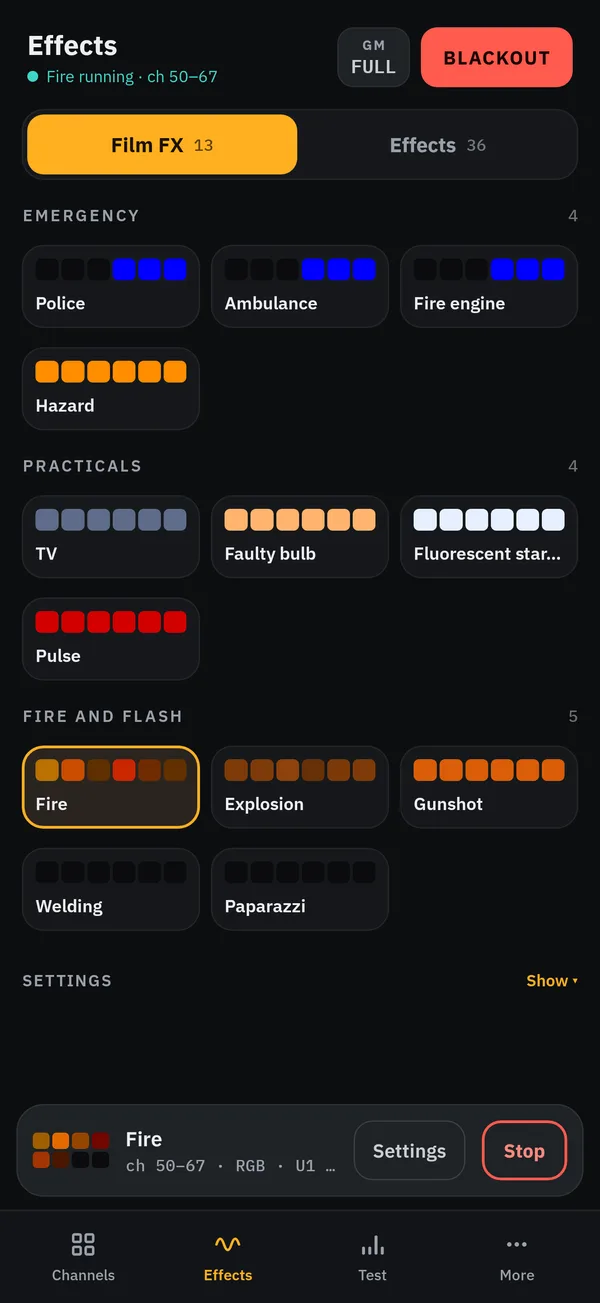
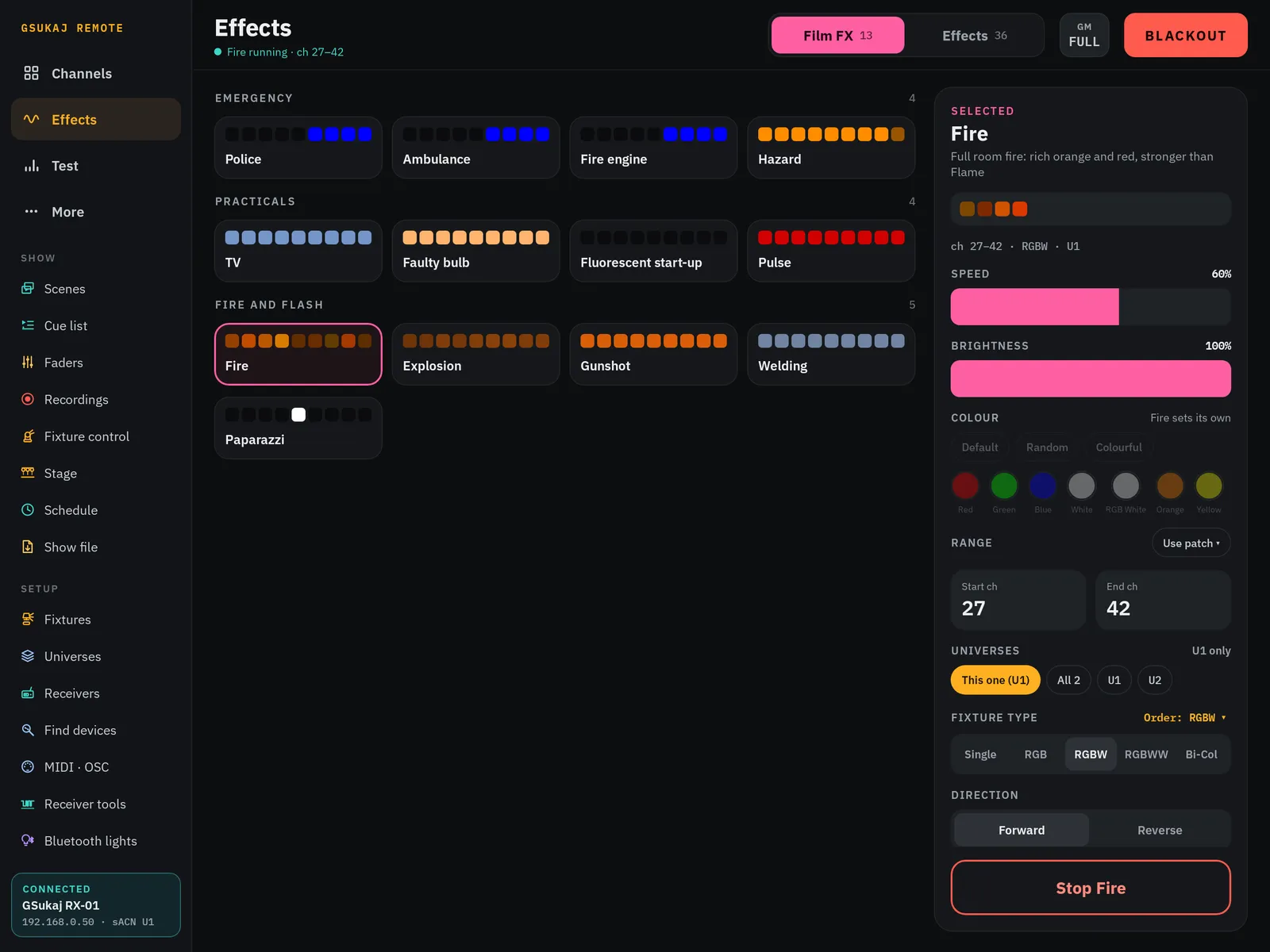
Effects that look real on camera
Pick an effect and it runs on the lights you choose. Speed, colour, size and randomness sit right beside it, so you can tune it to the shot while the camera rolls.
- Emergency lights, practicals, fire and flash
- Live settings while it runs
- Pick exactly which fixtures each effect runs on
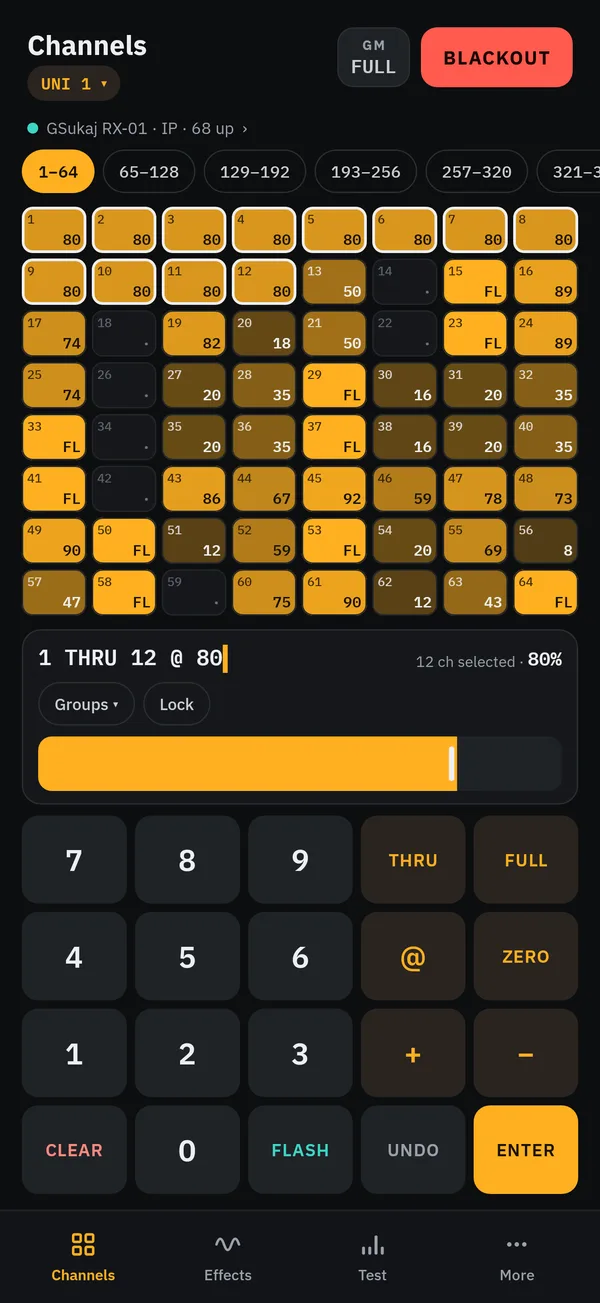
A real desk keypad
Type it like a console: 1 THRU 12 @ 80, Enter. Every channel on the universe is on one screen, and you can see its level at a glance.
- THRU, @, +, −, FULL, ZERO, FLASH, UNDO
- All 512 channels, several universes
- Grand master and blackout on every page
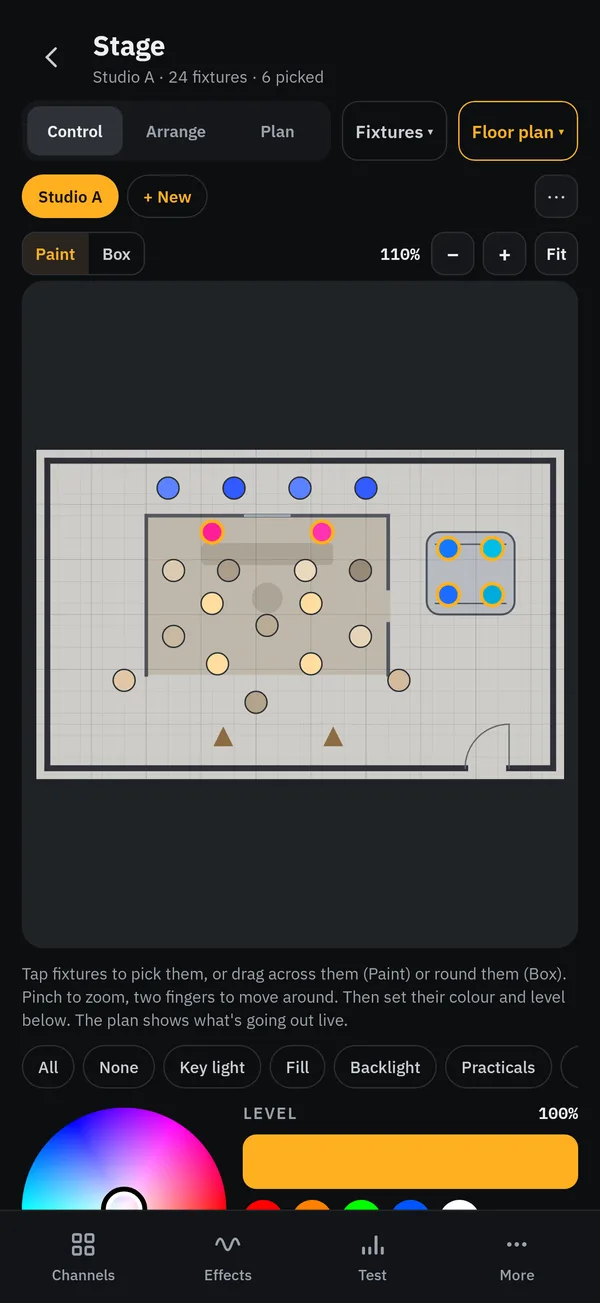
Your rig on the floor plan
Take a photo of the floor plan, scale it, and drop each fixture where it really hangs. Zoom out as far as you like, swipe a box round a group and bring them up together.
- Named stages, one per set or location
- Paint or box-select fixtures
- Saved inside your show file
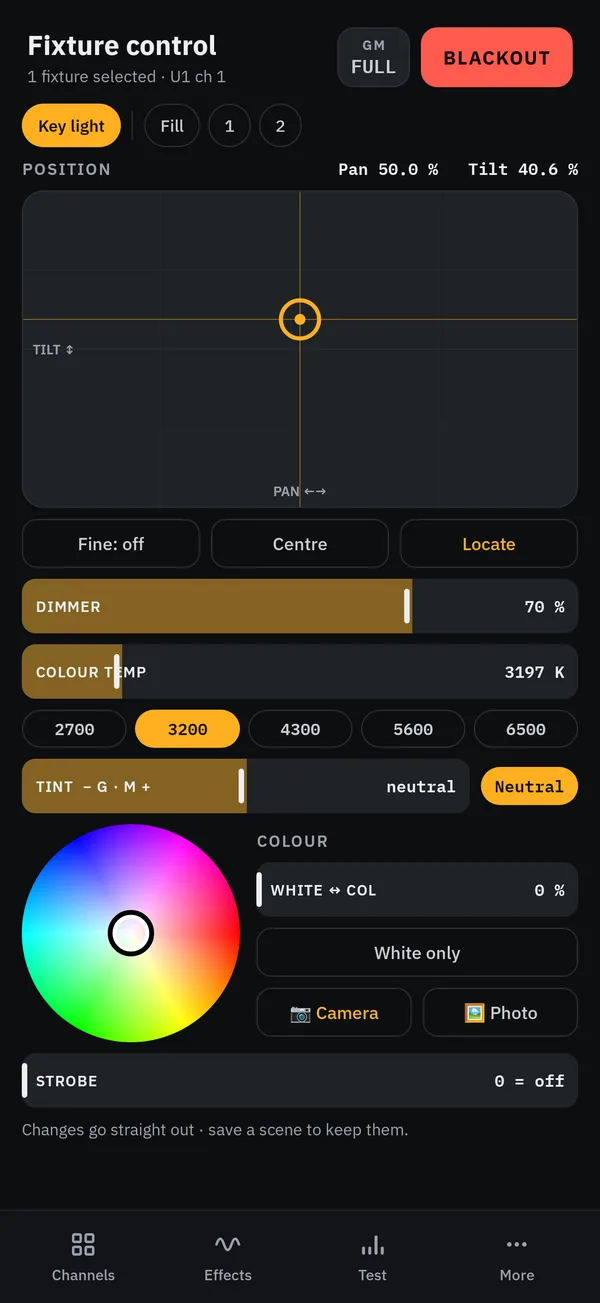
Colour temperature, tint, hue and level
Set Kelvin and green/magenta tint like you would on the fixture, or pick a colour off the wheel or from the camera. Moving heads get pan and tilt too.
- 2700 K to 6500 K presets, tint to neutral
- Colour wheel and colour from photo
- Fixture library to patch your lights
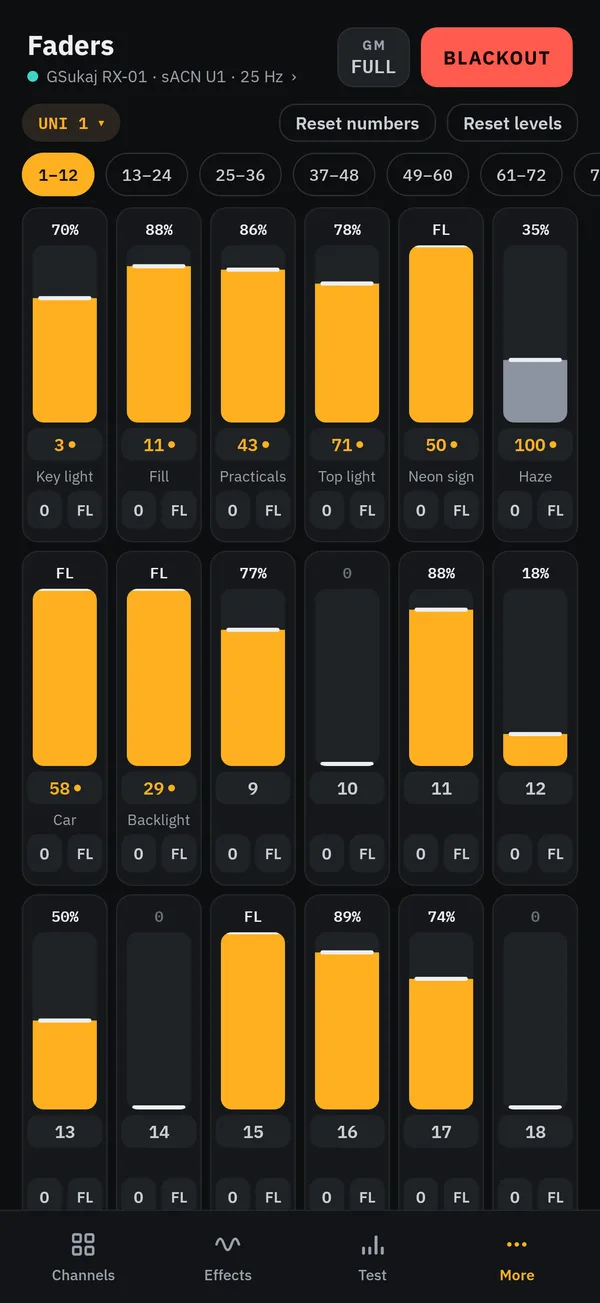
512 faders, named your way
A fader for every channel, numbered 1 to 512. Rename them to Key light, Fill or Backlight, renumber them, or reset levels in one tap.
- Vertical desk layout, 15 per row on iPad
- Several universes, switch with one tap
- Scenes, cue lists and recordings
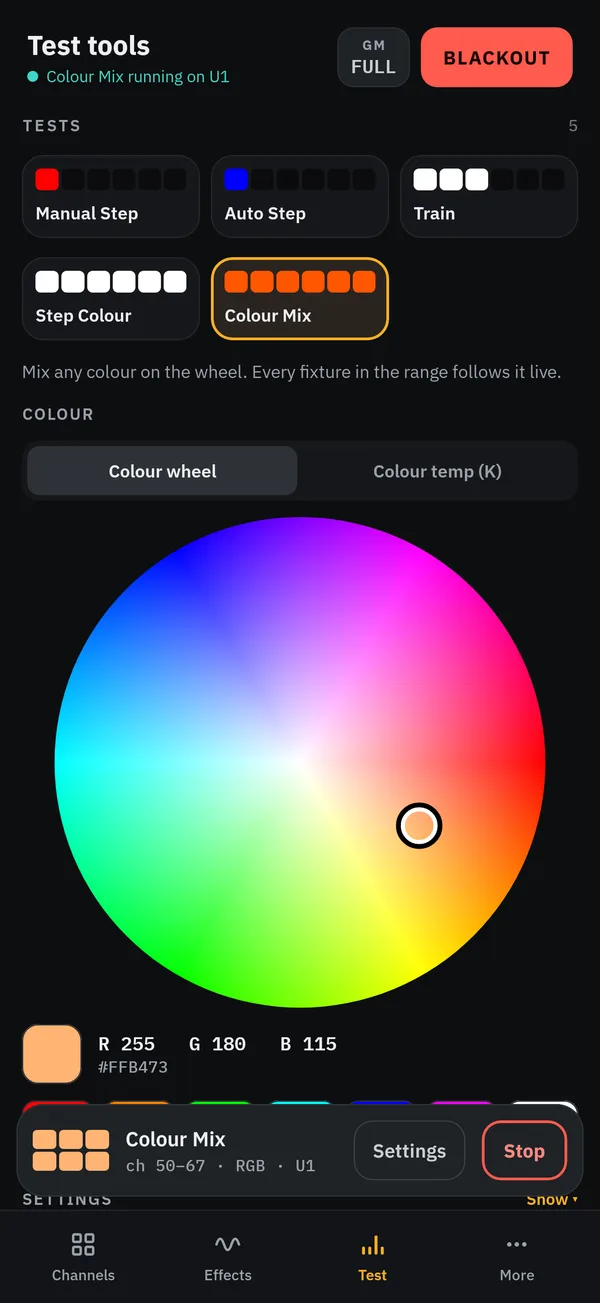
Check your patch in seconds
Step through channels one at a time (hold Next to race through), chase them automatically, or run a colour mix across every fixture to find the one that's wrong.
- Manual step, auto step, train and step colour
- Colour mix with colour wheel and Kelvin
- DMX input to see what's arriving
On iPad it becomes a full desk.
A sidebar with every page, all 512 channels on one screen, and room for a full fader wing. Turn your iPhone sideways for the same layout.
Talks to the lights you already have.
Any network lighting
Sends sACN (E1.31) and Art-Net over WiFi to nodes, LED panels and pixel fixtures, by IP or multicast, across several universes.
Wireless DMX box
Pair a GSukaj receiver over Bluetooth, and it hands over to WiFi by itself. Plug it into any DMX fixture and you're cable-free.
Move shows between devices
One file holds your scenes, cues, patch, faders, stages and floor plans. Open it on another iPhone, iPad or Android phone.
Try it free for a week.
Everything works during the trial. No account, no ads, no tracking.
Yearly
Starts with a 7-day free trial. Cancel any time before it ends and you pay nothing.
- Every feature, every update
- iPhone and iPad on one Apple Account
Lifetime
Buy it outright. No subscription, yours for good.
- Every feature, every update
- iPhone and iPad on one Apple Account
Prices shown are UK prices. The App Store shows the price in your own currency. Purchases and the free trial are handled by Apple; you can manage or cancel a subscription in your Apple Account settings.
Before you ask.
Do I need anything else to use it?
Lights or a node that take sACN or Art-Net on your WiFi, or a GSukaj receiver plugged into a DMX fixture. The phone and the lights must be on the same network.
Nothing comes on. What do I check?
Same WiFi for phone and lights, Local Network allowed for GSukaj Remote (Settings › Privacy & Security › Local Network), and the right IP or multicast set under More › Universes. Some home and mobile broadband routers stop devices talking to each other; a phone hotspot or a proper lighting router fixes that. More help is on the support page.
Is there an Android version?
Yes, GSukaj Remote runs on Android phones and tablets too, and opens the same show files. Get in touch through support for access.
What happens if my subscription ends?
The app still opens and keeps your shows, stages and floor plans, but it stops sending DMX until you subscribe again or buy the lifetime unlock.
Does it collect my data?
No. There's no account, no analytics and no tracking. Your shows stay on your device. Read the privacy policy.